 Screenpresso


Eine neue Version ist verfügbar
Klicken Sie hier, um die neueste Version zu sehen (2.3.6.0)Screenpresso 2.1.4
16. August 2022
Changes
- Restored cross monitors screen capture feature.
It is a colossal improvement making our engine the best in the world!
- Improved the window detection for capture in one click.
Moving the mouse over a window's title bar during the capture always automatically selects the whole window. So it is excellent, for instance, to capture an entire Microsoft Word window.
- Improved the help message during the capture.
It indicates the available shortcuts.
- Zoomed cursor is now well captured
If the mouse cursor size is increased via the Microsoft Windows' Accessibility settings, Screenpresso now considers it.
-
Added a "Save and exit all opened windows" context menu item to the "Copy and exit" button of the built-in image editor
-
Added a new 'MediaPlayerAutoPlay" advanced setting
-
Updated the documentation about the available advanced settings
Bug fixes
- Fixed DelayCapture countdown display on high-resolution screens
Screenpresso 2.1.3
5. Juli 2022
Changes
-
Added 'Capture all screens' feature
-
Now all screens freeze when starting a capture. Added a new advanced settings named 'CaptureOneScreenOnly' to be able to disable this
Bug fixes
-
Fixed Per Monitor DPI capture
-
Fixed thumbnails transparency
-
Fixed a license management issue
Screenpresso 2.1.2
9. Juni 2022
Changes
-
Capture: changed the opacity of the magnifier's grid
-
Updated FFmpeg to version 5.0.1
-
Updated Tesseract to version 5.1.0
Bug fixes
-
Capture: fixed a uncommon crash when capturing the mouse cursor
-
Fixed a crash with the web browser showing the release notes when a new version is available
-
Fixed a license management issue
-
Fixed the incorrect renewal price displayed for an enterprise license
Screenpresso 2.1.1
26. Mai 2022
-
Added an advanced setting to be able to hide the grid inside the magnifier during a screen capture
-
Fixed a crash under Windows 7
-
Fixed an issue during capture autoscroll
Screenpresso 2.1.0
24. Mai 2022
Improvements
- Starting a new capture is now blazing fast
It also uses very little hardware resources.
- Per monitor DPI support
If for instance you move the editor window from a FullHD screen to a 4K screen, now it dynamically resizes itself.
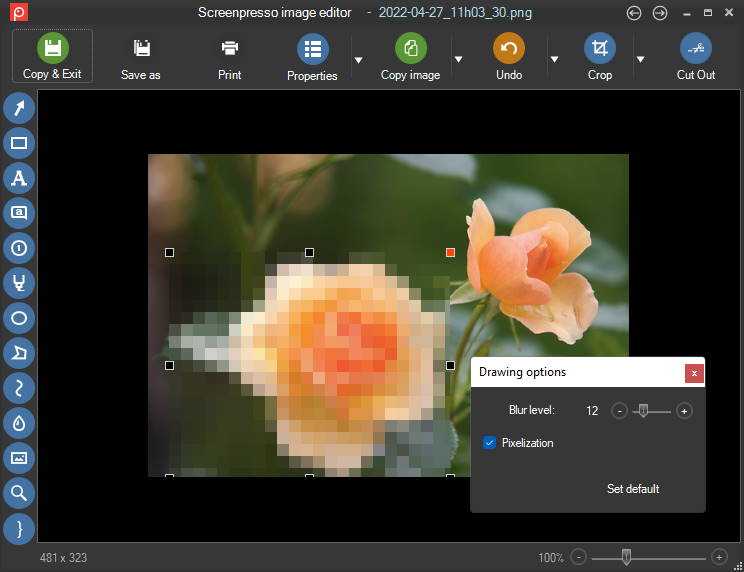
- Blur tool now supports an option to pixelize the image instead of blurring it (PRO)
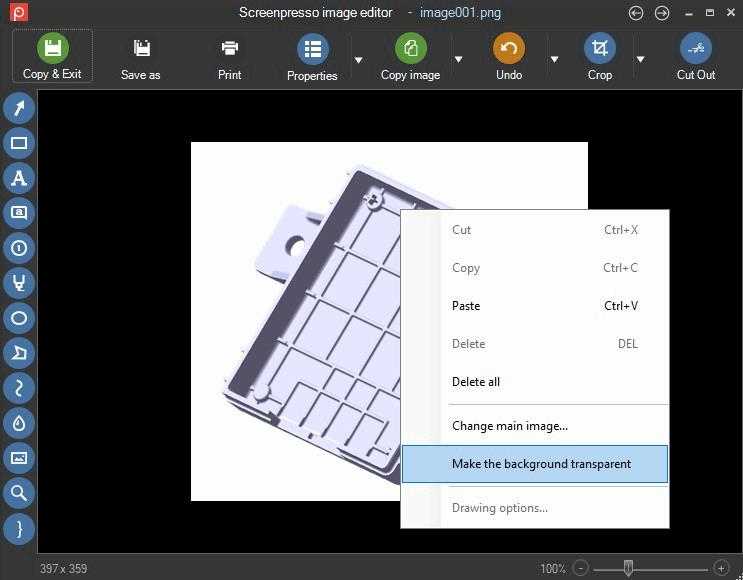
- Is is now possible to set the background of a png image as transparent (PRO)
-
Added support for SFTP protocol to the FTP sharing feature
-
Improved resolution for some webcam models
-
Startup speed improvement at the very first startup
-
Updated Czech translations
-
Updated the user manuals
Bug fixes
-
Editor: clicking an item could sometimes make it moving by 1 pixel
-
Editor: it is possible to draw a strait line while holding the shift key, but, when copy/paste this strait line to make another one, the corresponding grips did not appear correctly
-
Video: fixed video speed convertion that was failing on non-english computers
-
Fixed 'NoVideo' policy that was not working anymore
-
USB keys where not detected anymore, disabling the Screenpresso's portable mode special behavior
Screenpresso 2.0.0
25. April 2022
Important information for PRO users
This release is a new major version of Screenpresso. We upgraded from major version 1 to major version 2 after ten years of existence!
You continue to get free upgrades for the year after buying your license key.
When this maintenance period expires, you can choose between:
- Purchasing a license upgrade with a 50% discount.
- Skipping the updates and remaining on the version you already have. Your actual license for Screenpresso PRO remains valid lifetime for the version 1.
- Accepting the updates and switching back to the free version. You can purchase a new license at any time.
Thank you for supporting us. We are working hard to make Screenpresso a tool that you like.
Enhanced screenshot engine
- Performance improvement and better looking with the animated magnifier during region selection.
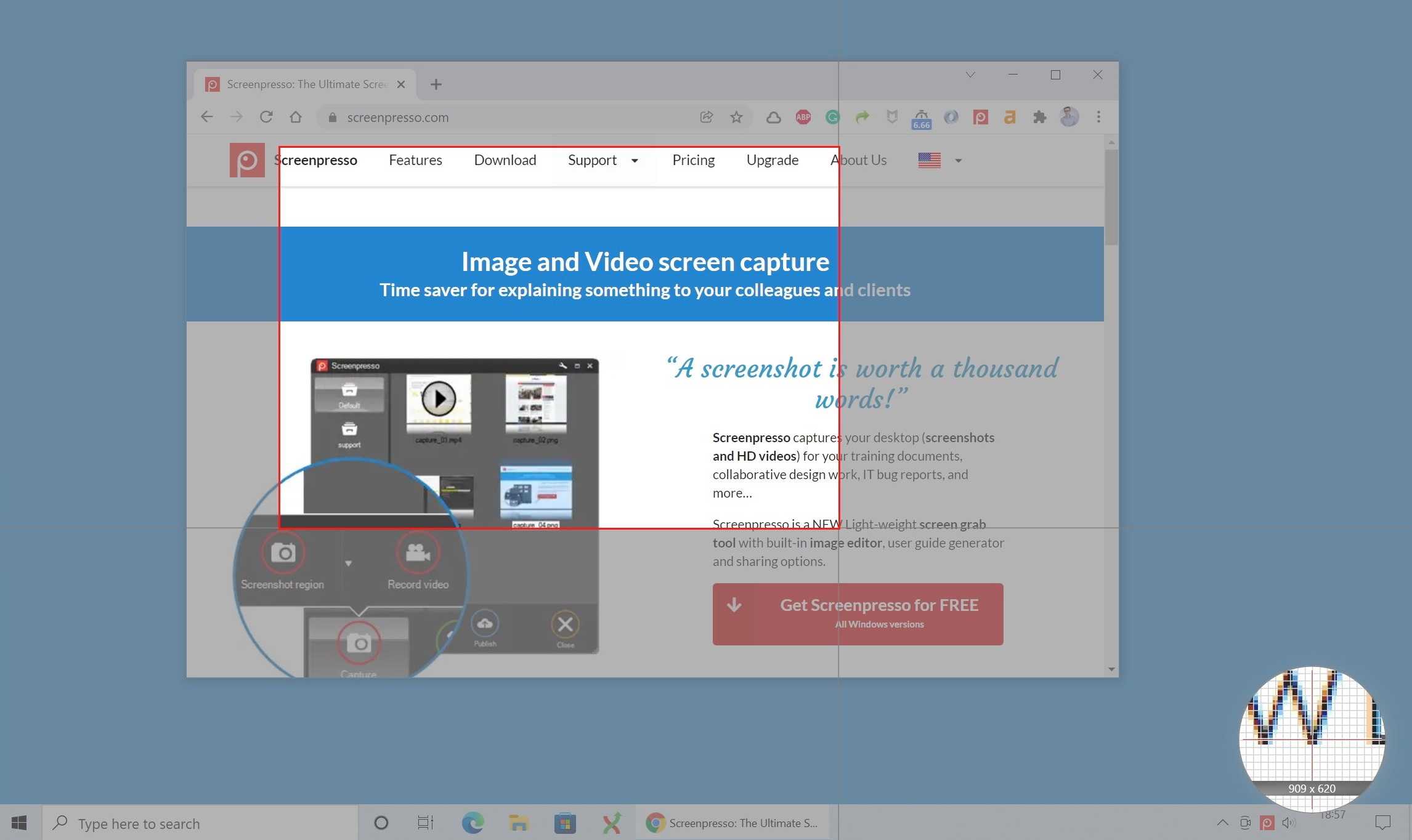
- Zoom in/out is now possible using the mouse wheel during the capture region definition.
- When using multiple monitors, the fullscreen capture mode only captures the monitor with the mouse cursor in it.
- You can now grab the mouse cursor and move it during post-production using the built-in image editor:
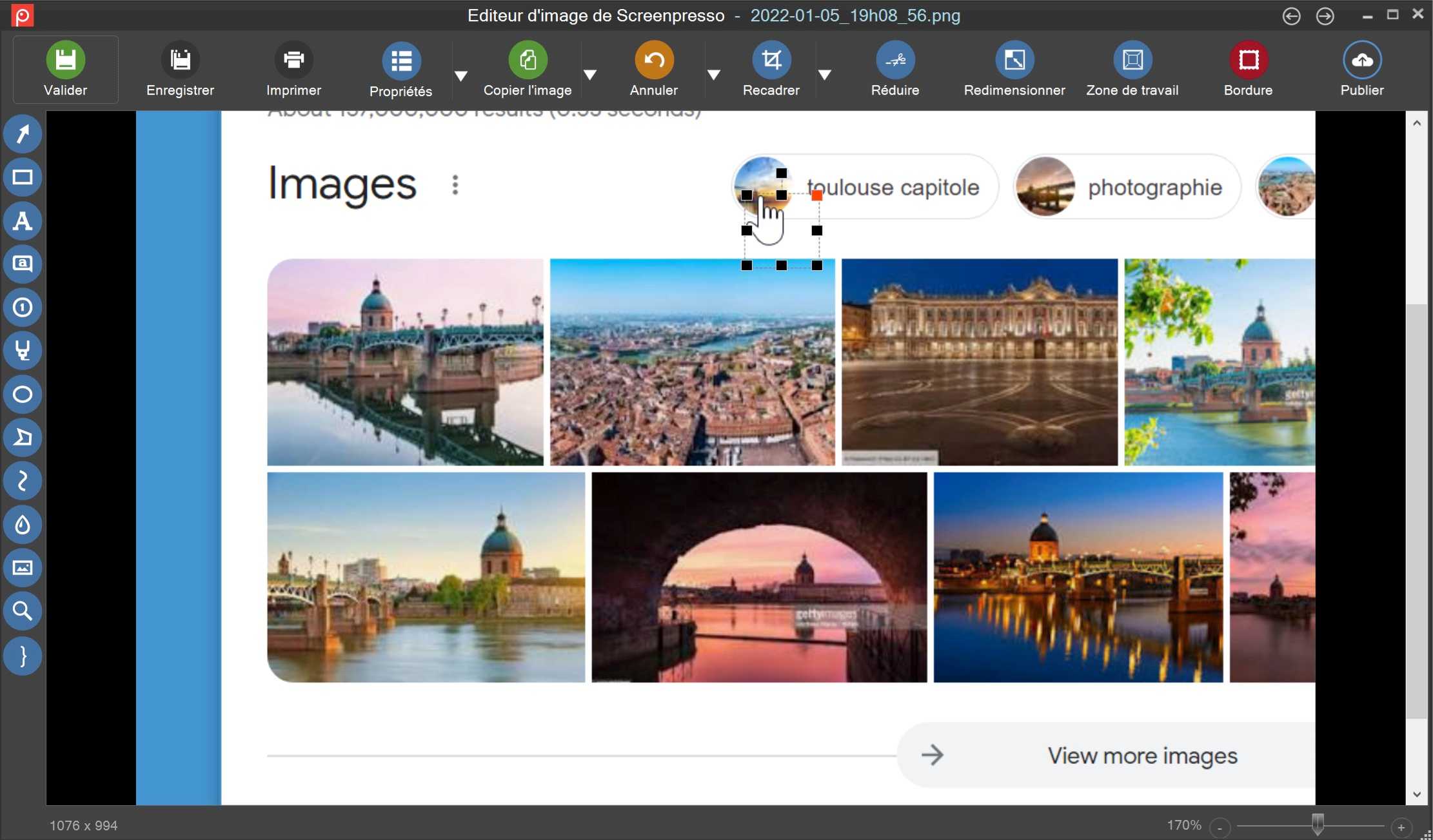
- To capture the mouse cursor, press the
[PrintScreen], then press theMkey before defining the capture region. If you want to include the mouse cursor on every new capture, open the Screenpresso settings on theScreenshottab and selectCapture mouse cursor. - The cursor can now also be captured using Capture last region, Capture active window and Capture full screen.
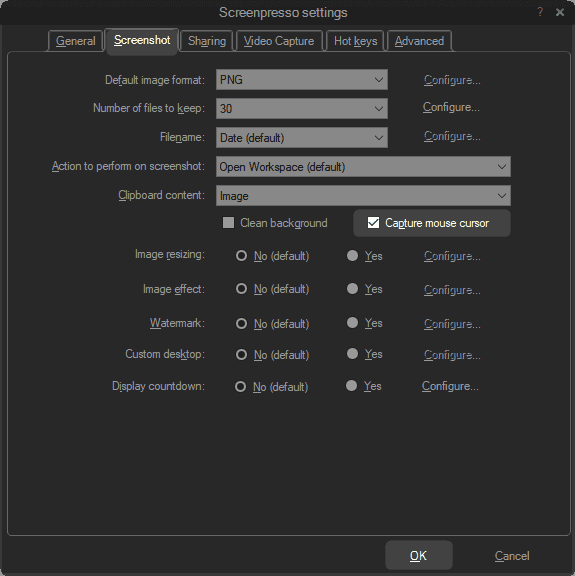
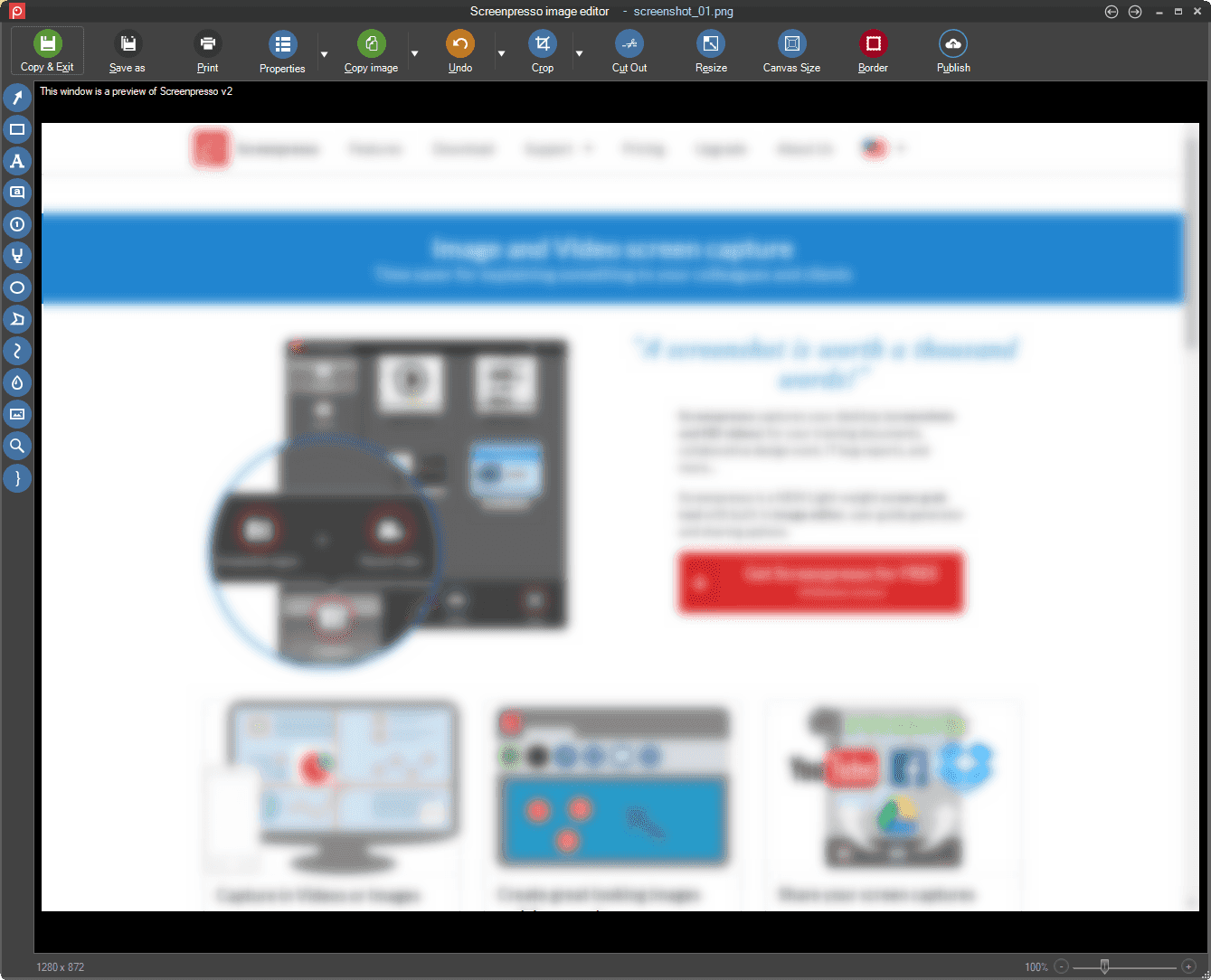
Image Editor
- New look and feel with its left toolbar.
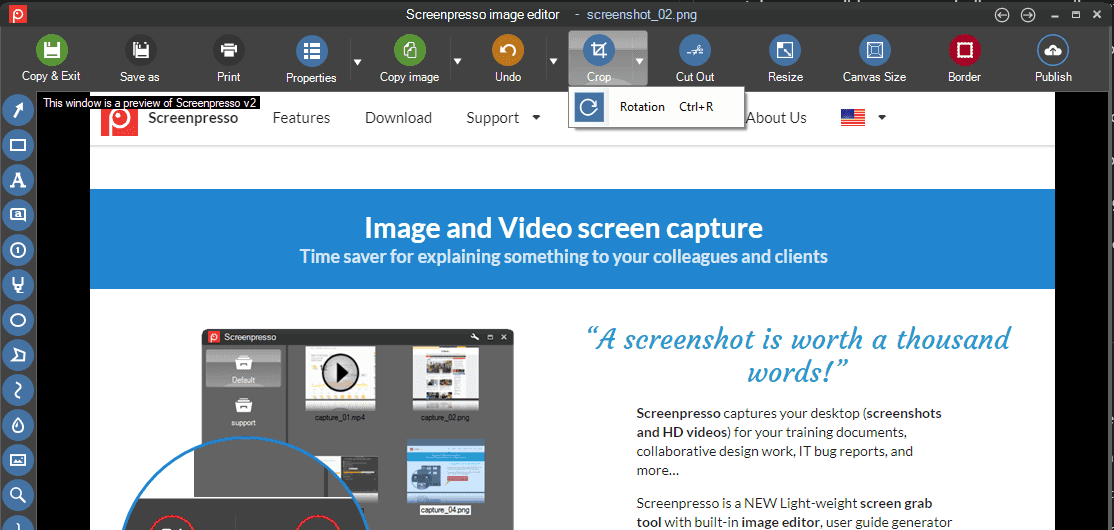
- New rotate option from the toolbar.
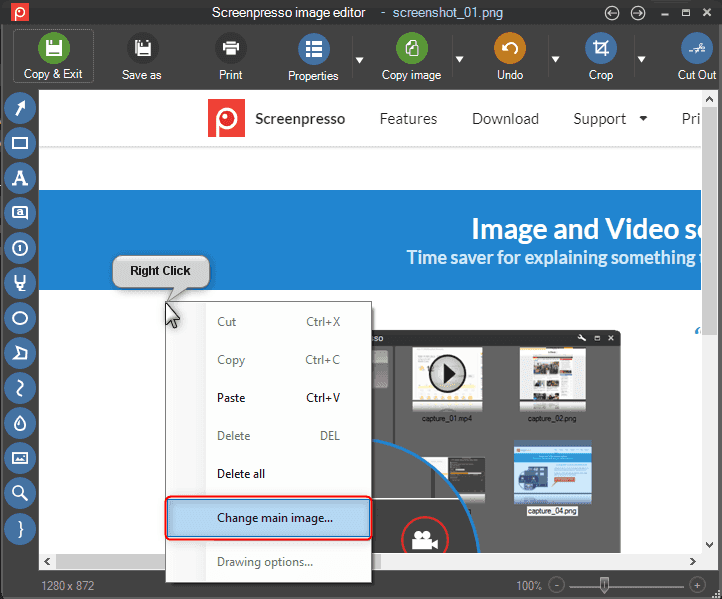
- It is now possible to change the background image: right-click anywhere on the image and select "Change main image...".
- Holding the
Altkey while drawing an item now sets its color as the one of the pixel behind it.
This is great if you want to quickly draw an opaque rectangle on the image to hide part of it.
- Holding the
Altand theCtrlkey while drawing a rectangle can be used to paint over part of the image.
Enhanced video capture
- Direct MP4 recording is the new default recording mode and edition and video conversions are now possible on MP4 files (PRO).
- Stereo sound recording is available.
- It is now possible to automatically stop video recording after a defined period of time in minutes.
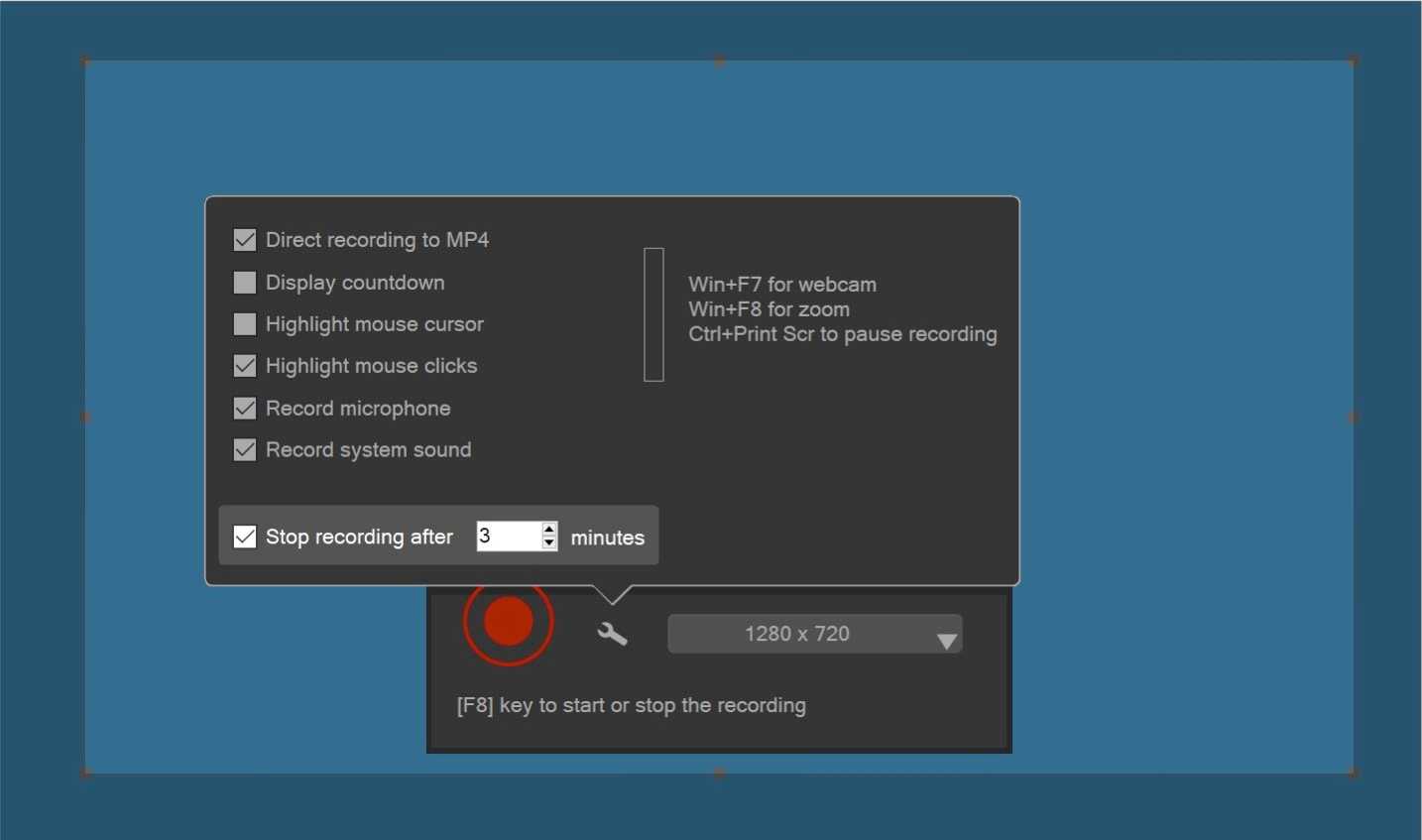
- It is now possible to start a video capture via the command line and optionally define a maximum recording time in minutes.
- The webcam is now captured using its best resolution.
Video edition additions
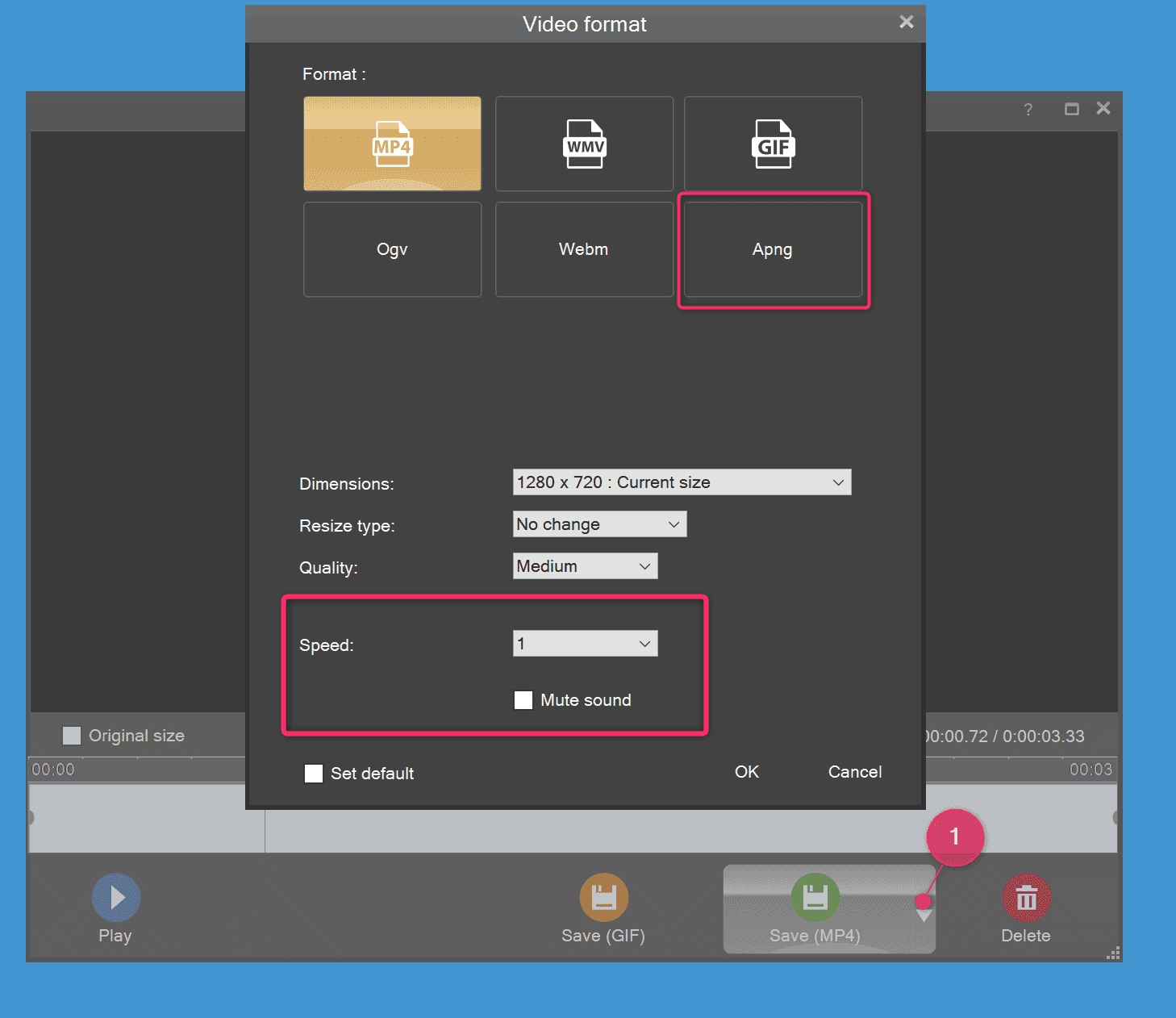
- Export to APNG video format is available in addition to animated GIF format.
- You can mute/silent or change the speed of a video during post processing.
- You can add an overlay timestamp to the video recording.
- You can now use the keyboard to navigate in the video preview (left and right keys).
Captures history - Workspaces
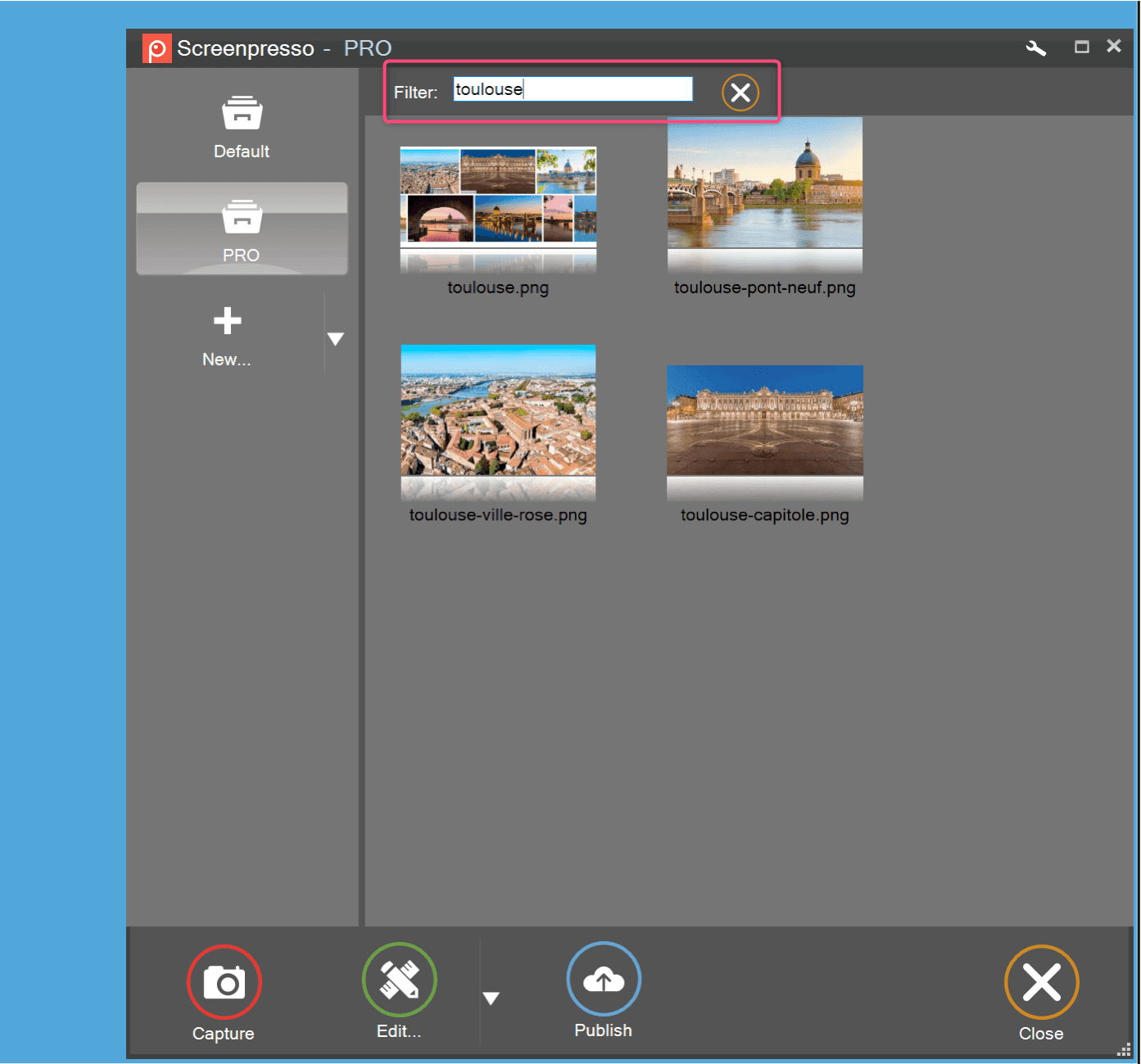
- New look and feel. The background of the window is darker and the "Screenshot region" and "Record video" buttons are quickly available (no more intermediate popup window).
- Search for images is available: press
Ctrl+For use the keyboard to type few letters that match filenames. - You can set a global shortcut to display the last three screenshots in the quick view window.
New Google Chrome extension
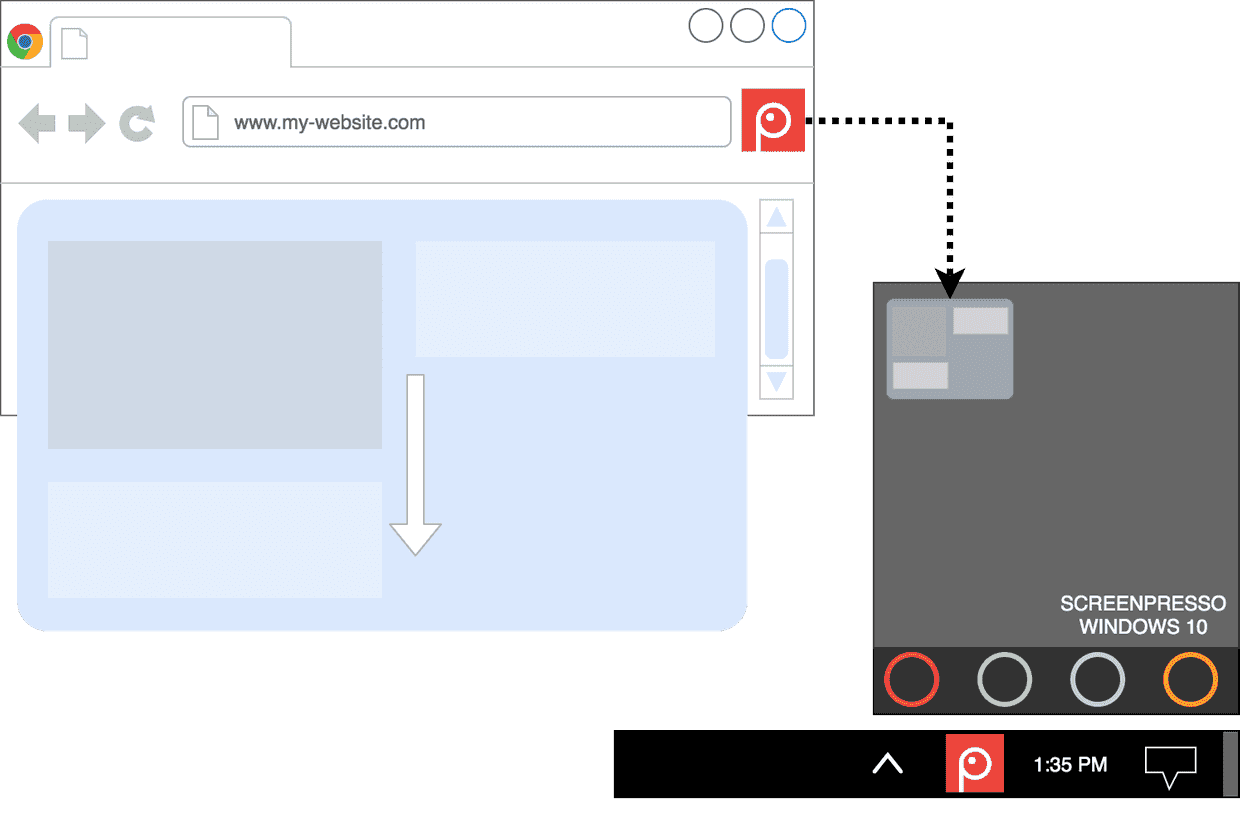
- The Screenpresso chrome extension is available on the Chrome webstore.
- The extension eases the capture of scrolling web pages.
- The extension sends captures to the Screenpresso workspace for a smooth editing process.
Other improvements
- Norwegian language is now natively supported.
- Memory improvement: Screenpresso now has a smaller memory footprint.
Screenpresso 1.12.1
5. März 2022
- Updated explanations and pricing for major version upgrade
- Improved OCR
- Updated Polish translations
Screenpresso 1.12.0
17. Februar 2022
-
Editor: fixed number items text forecolor in the image's properties window
-
Editor: improved the OCR
-
Video: better handling of the webcam
-
Fixed the watermark that was auto enabling itself after every Screenpresso updates
-
Fixed a behavior with the Microsoft Windows Store
-
New internal versioning management
-
Fixed multiple minor bugs
Screenpresso 1.11.0
25. Januar 2022
-
Editor: fixed wrong display of numbered items over a high DPI image
-
Video: disabled automatic MediaPlayer windows' resizing when resuming a playback
-
Fixed 'capture' command line verb
-
Removed YoutubeExtractor
Screenpresso 1.10.7
1. Januar 2022
-
Added a setting to the magnifying glass to draw the zoomed image using wether a crisp or smooth algorithm
-
Improved undo/redo commands of the built-in image editor
-
Fixed long video recording that was not working anymore when 'Direct mp4 recording' option was unchecked
-
Fixed video speed setting that was causing an issue (this feature is available in beta releases only)
-
FFmpeg and Tesseract dependencies used by Screenpresso are now digitaly signed by Learnpulse company to avoid "Access denied" to some particular files when using an antivirus
-
Fixed alignment display of one setting in French language
-
Fixed an issue in one Arabic sentence
-
Updated Japanese translations
-
Updated the Google Chrome extension to support the latest manifest v3 published by Google
Screenpresso 1.10.6
7. Dezember 2021
-
Fixed license being sometimes lost
-
Editor: fixed display on a high DPI screen of number items when using a big font
-
Sharing: updated all used SDKs to their latest version
-
Video: updated FFmpeg to version 4.4.1 and libvlc to version 3.0.16
-
Video: restored 'Restart' video recording menu item
-
Improved commandline's 'video' verb for video recording
-
Embedded HTML is now displayed using Microsoft Edge instead of Internet Explorer when available
