 Screenpresso


Eine neue Version ist verfügbar
Klicken Sie hier, um die neueste Version zu sehen (2.3.6.0)Screenpresso 2.1.22
2. Januar 2024
Changes
- Restored support for JpegXL and WebP image formats
A specific third parties package will be downloaded when these formats are used.
- Added 'NoSettings' policy
For the IT to be able to disallow users to change settings.
- Added 'NoImagePack' policy
For the IT to indicate that the user is not authorized to use the extended image format (WebP and JPEG XL). This reduces the attack scope by preventing Screenpresso from downloading additional native binaries.
- Improved portablemode
There are minor differences when portable mode is enabled from an USB key, from a folder named "PortableApp" and when the "--portable" flag is used from the command line.
- Updated Adb to version 34
This tool made by Google is used when you want to capture your mobile phone. A specific third parties package will be downloaded when this feature is used.
Screenpresso 2.1.21
4. Dezember 2023
Changes
-
Removed a reference to libcurl that was causing a security issue
-
Video: updated FFmpeg to version 6.1 and libvlc to version 3.0.20
-
OCR: updated Tesseract to version 5.3.3
-
Updated all dependencies to the latest version
Screenpresso 2.1.16
23. November 2023
Changes
-
Better handling of Powertoys FancyZone
-
Reduced the risk to use too much CPU
Screenpresso 2.1.15
7. Oktober 2023
Changes
-
Removed support for JpegXL and WebP image formats for security reason
-
OCR: added the possibility to zoom the displayed text using the mouse wheel
-
Added support for PortableApps.com
-
In portable mode, media are now stored in a subfolder named "Medias", not next to the exe anymore
-
Added a detection for Microsoft PowerToys FancyZones to warn for potential issues
Screenpresso 2.1.14
8. September 2023
Changes
-
The video toolbar is now never captured during the video recording
-
Closing the video preview after a video recording now saves the video by default instead of discarding it
-
Reduced stamps loading time in the image editor
-
When deleting multiple files at once in the workspace, the number of files to be be deleted is now displayed in the confirmation dialog
-
Added "WorkspacesSort" advanced setting. This allows all workspaces to be always sorted alphabetically
-
When showing the properties of an image, the file's size is now also displayed
-
Reduced the risk of ScreenpressoRpc.exe to use too much CPU
-
Removed all links will Google Analytics
Screenpresso 2.1.13
3. Juli 2023
Bug fixes
-
Fixed a SSL issue occuring under Windows 7
-
Fixed a timer occuring at startup on a few comouters
Screenpresso 2.1.12
7. Juni 2023
Bug fixes
-
Fixed a security issue
-
Updated Twitter sharing
-
Fixed the QR Code reader
-
Fixed Dropbox sync issue
-
Fixed capture autoscoll button's position at capture's startup
-
Fixed an issue when uninstalling
-
Fixed Dutch translation
Screenpresso 2.1.11
3. April 2023
Bug fixes
- Fixed an issue with corporate licenses
Screenpresso 2.1.10
2. April 2023
Bug fixes
-
Improved workspace's performances when having a lot of files
-
Fixed multiple minor bugs
Screenpresso 2.1.9
14. März 2023
Changes
- New video toolbar look and feel

- Added VU meter to the video toolbar. You can now see the sound intensity and make sure the sound is properly recorded
You can also mute the sound live during the recording and check which microphone is used to avoid mistakes.

- Added new video speed presets to the playback list: 1.25 and 1.75

- Added support for JPEG XL image file format

- The custom 'Maximize' button of all Screenpresso windows now acts as a standard Windows 11 'Maximize' button

- Added built-in support of Cloudinary image and video hosting

- Added the possibility to move the toolbar to the right of the editor window

- Added 'Print filename at the bottom-right' option to the print dialog

- Added the name of the selected printer to the print dialog

-
Improved the history display of published files
-
The print settings are now persisted, your settings will be applied again for your next printings
-
Added 'NoFirstTimeMessages' policy and command line argument
-
Renaming a file in the workspace now warns if a file with the same name already exists
-
Refreshed the help displayed at the first use of the capture auto-scroll feature
-
Hidden Screenpresso's subfolders are now created only when necessary
Bug fixes
-
Fixed an exceptional case when a recorded avi file could autodelete itself
-
Restored the possibility to scroll the image in the image editor horizontally using Alt+MouseWheel
-
Improved FTP sharing feature to avoid an error when the account has special security restrictions
-
Better handling of a locked folder (issue was happening when OneDrive synchronized the working folder)
-
Improved license update when using an activation.lic file
-
Improved Avast! antivirus detection
Screenpresso 2.1.8
24. November 2022
Changes
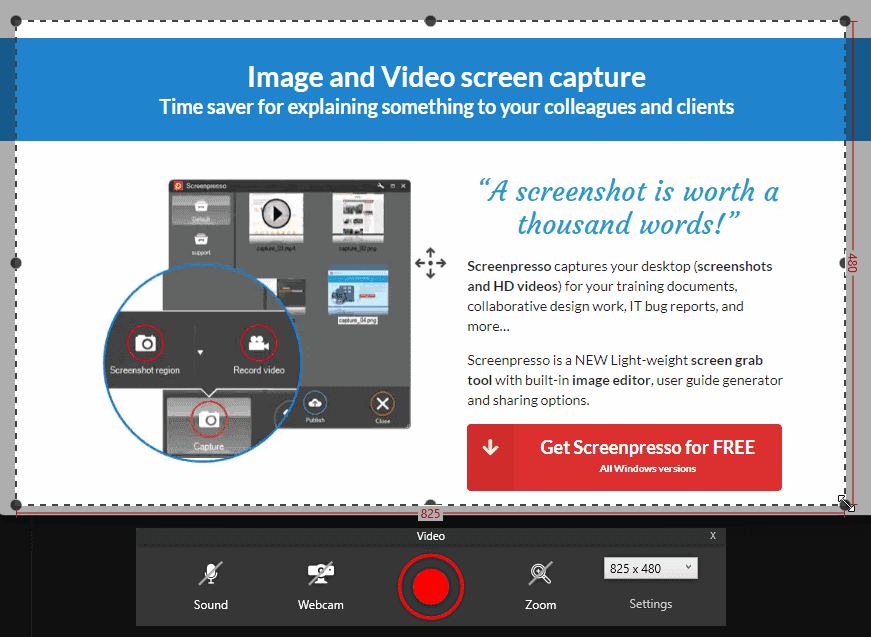
- New video capture look and feel
- Added a new feature that detects sensitive data (emails) in the screenshot to blur it automatically (PRO)
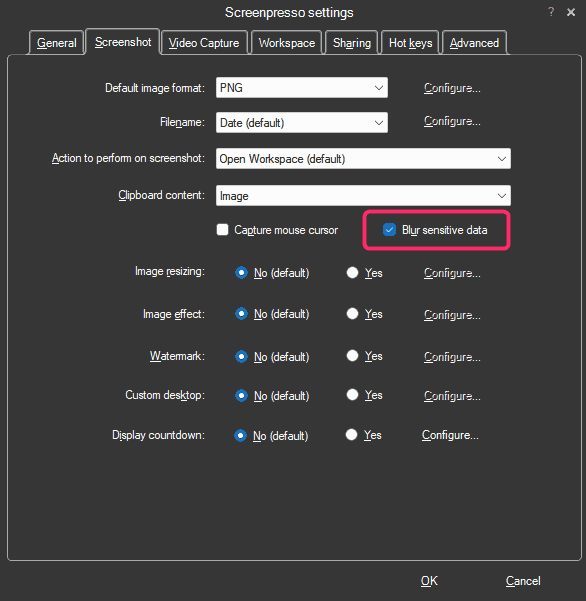
Sample result:

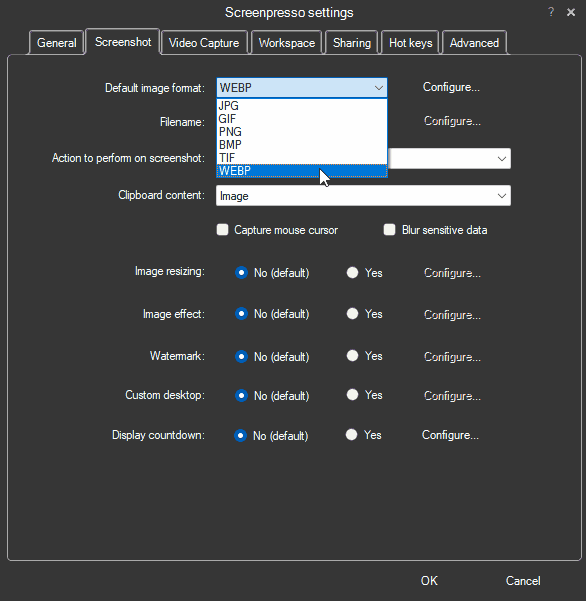
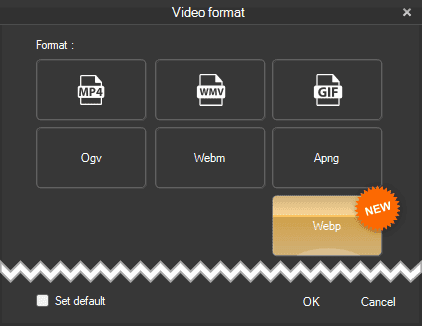
- Built-in support of Webp image file format
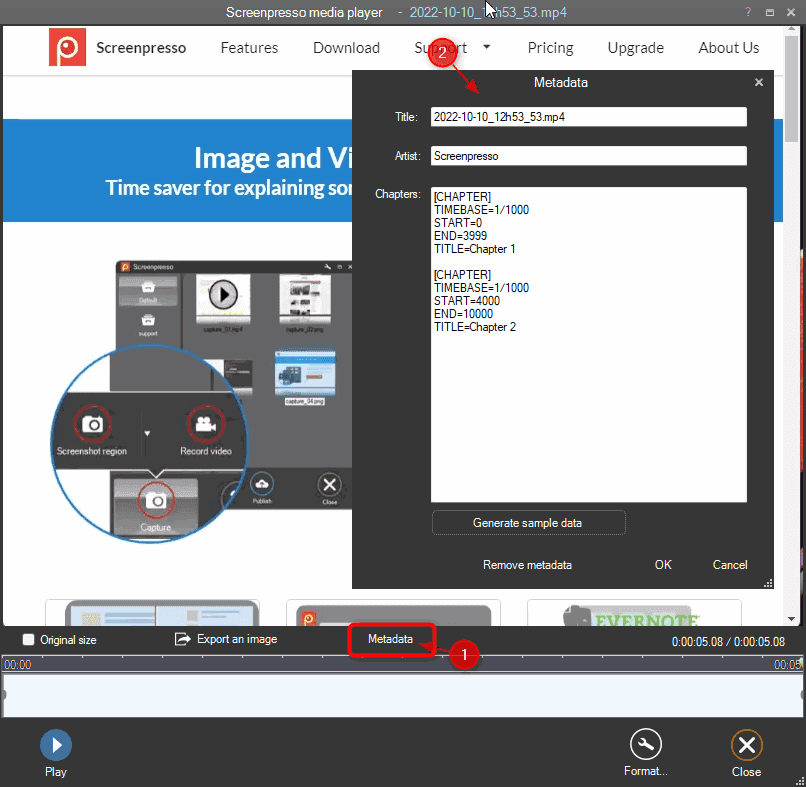
- It is now possible to edit the metadata of a video and add chapters (bookmarks) (PRO)
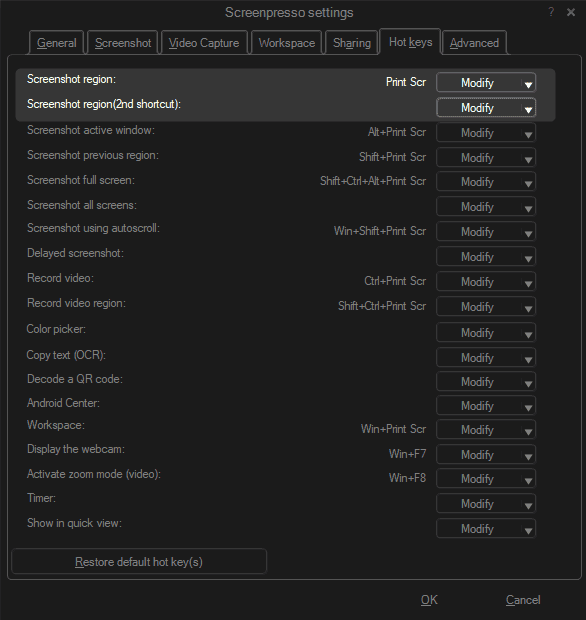
- It is now possible to set 2 different shortcuts for the PrintScreen key (PRO)
Whether your laptop is plugged into a docking station with a physical keyboard or on the go without a PrintScreen key, you can set up two hotkeys.
-
In the border effect window of the image editor, the new torn edge ratio setting is now disabled if no torn edge effect is selected
-
Reviewed the print window to be more compliant with Windows 11
Bug fixes
-
Fixed system sound recording crash with surround sound cards
-
Fixed UnspecifiedError calling waveInOpen message when the microphone's access is denied via the Microsoft Windows settings panel in the 'Privacy & security area
-
Fixed a crash when capturing a screen area having a size of 1x1 pixel
-
Fixed an issue in the image editor with font size not being well saved in templates for high dpi images
-
Fixed popup of drawing items in the image editor displayed out of the screen when having a lot of templates
-
Fixed an issue with the Windows OCR
