 Screenpresso
Installation
Licensing
This guide is an extract of the complete user manual.
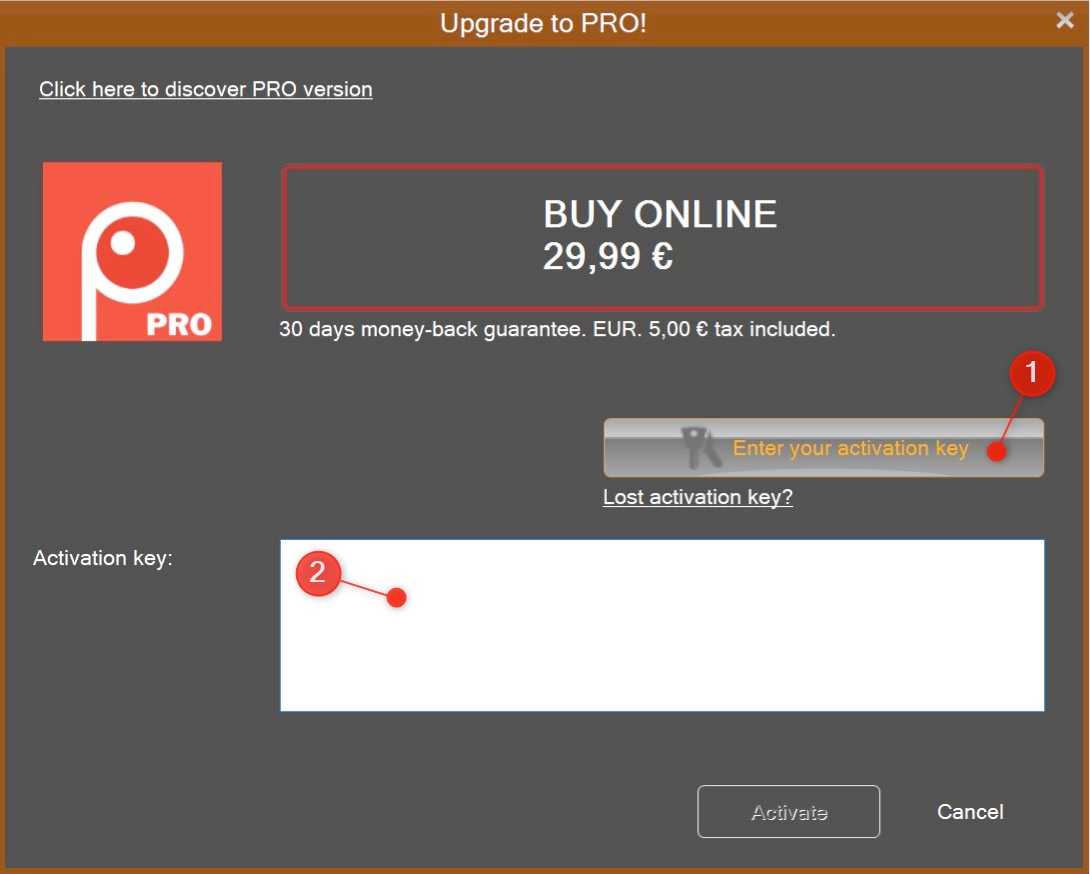
Screenpresso FREE and PRO are provided in the same file. To get Screenpresso PRO, you will need to download and install the FREE version and then enter your license key to unlock the PRO features.
Download the FREE version from our download page.
At startup, click on the install button.
If you have already installed Screenpresso, update to the latest version (About > Check for update, more details...).
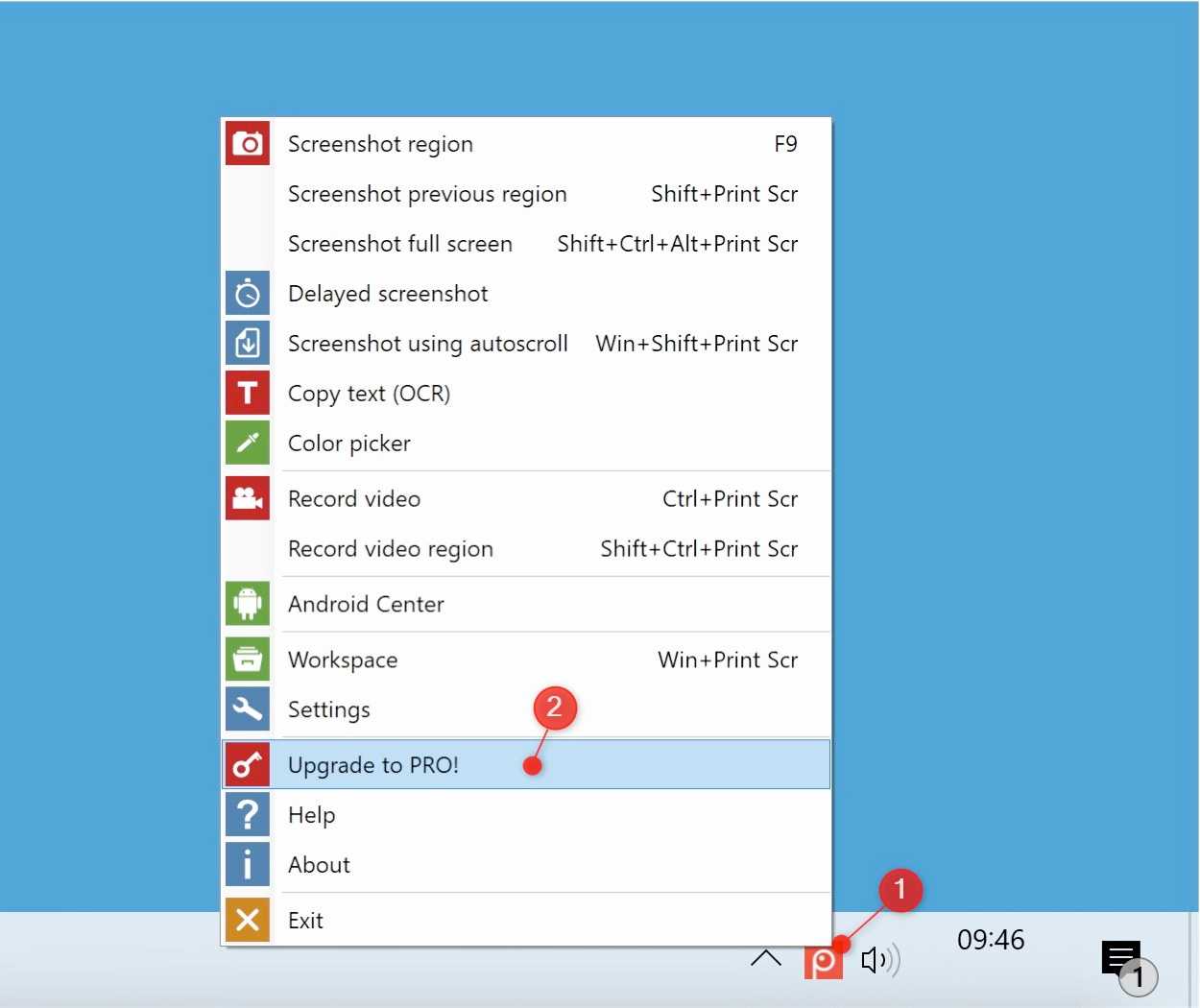
Right-click on the Screenpresso system tray icon (1) and click on Upgrade to Pro (2):
[0]-[screenpressopro]-[1]-[1234455]-[12/18/2011]-[Rstyaoiyzonveozienvozienqsdovsodpdovpsodvjspovjspodvjspodjvspodjvspovjspdojg==]
A restore can be done as many times as necessary on the same computer.


Learnpulse SAS
15 rue Théodore de Banville
31200 TOULOUSE
FRANCE
